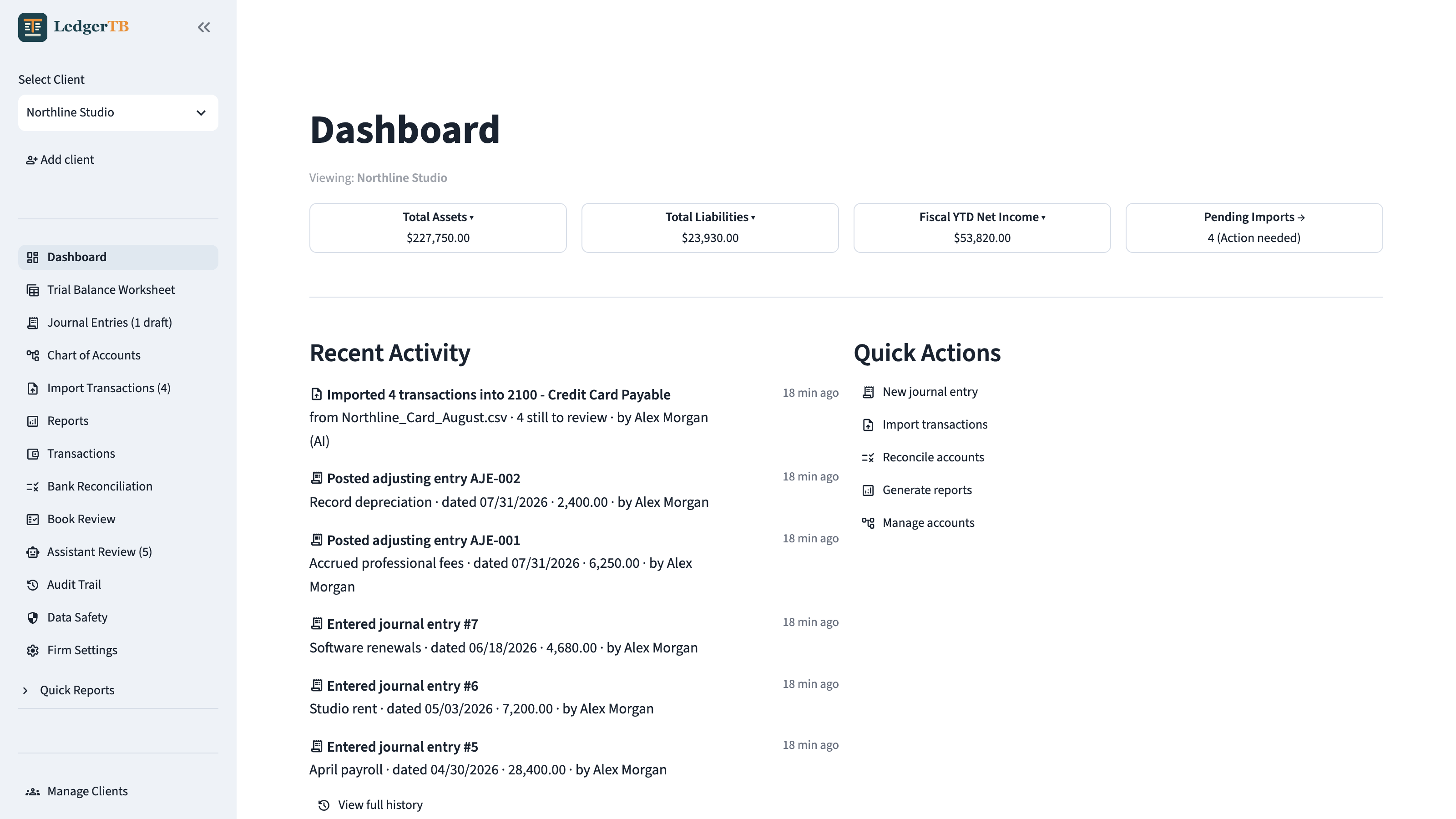
Balanced is the start. Reviewed is the finish.
Close Map turns the trial balance into an account-by-account close plan. Compare prior year, keep support beside the balance, and see exactly what is ready for review—and what changed afterward.
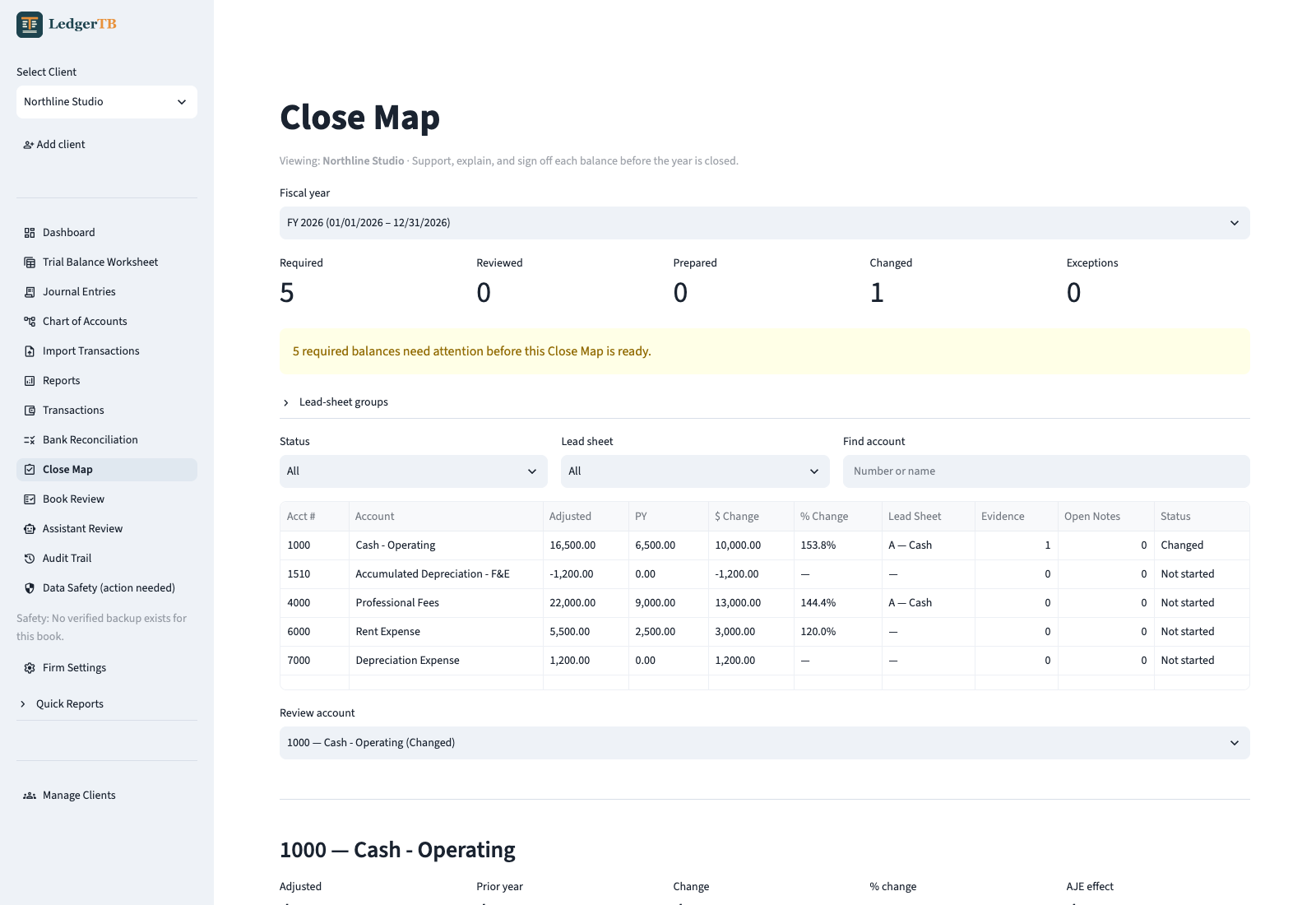
Keep the conclusion with the balance.
Store the explanation, lead-sheet assignment, evidence references, and review notes where the account is evaluated.
Separate preparation from review.
Preparer and reviewer states are explicit, and an account cannot skip the required review sequence.
Know when finished work moved.
A later entry affecting a signed-off account automatically returns it to Changed so stale review cannot look complete.
The working screens, not a sales mockup.
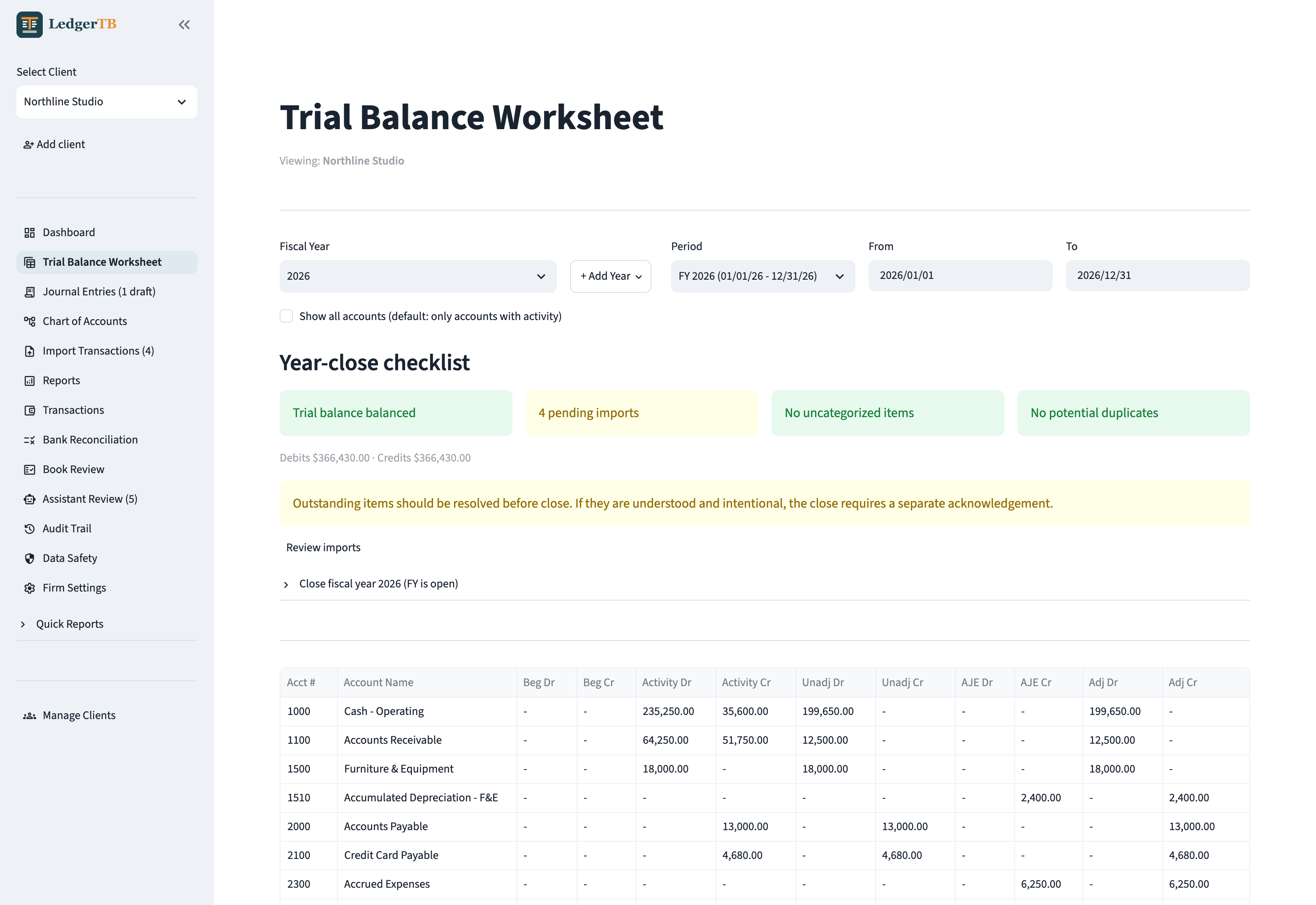
LedgerTB keeps the accountant's workflow visible: what changed, what still needs judgment, and whether the books actually tie. These are screenshots from the released desktop application.
Beginning balances, period activity, unadjusted balances, AJEs, and adjusted balances live in one working paper. The close checklist calls out pending imports, integrity issues, and incomplete Close Map reviews before the year is locked.
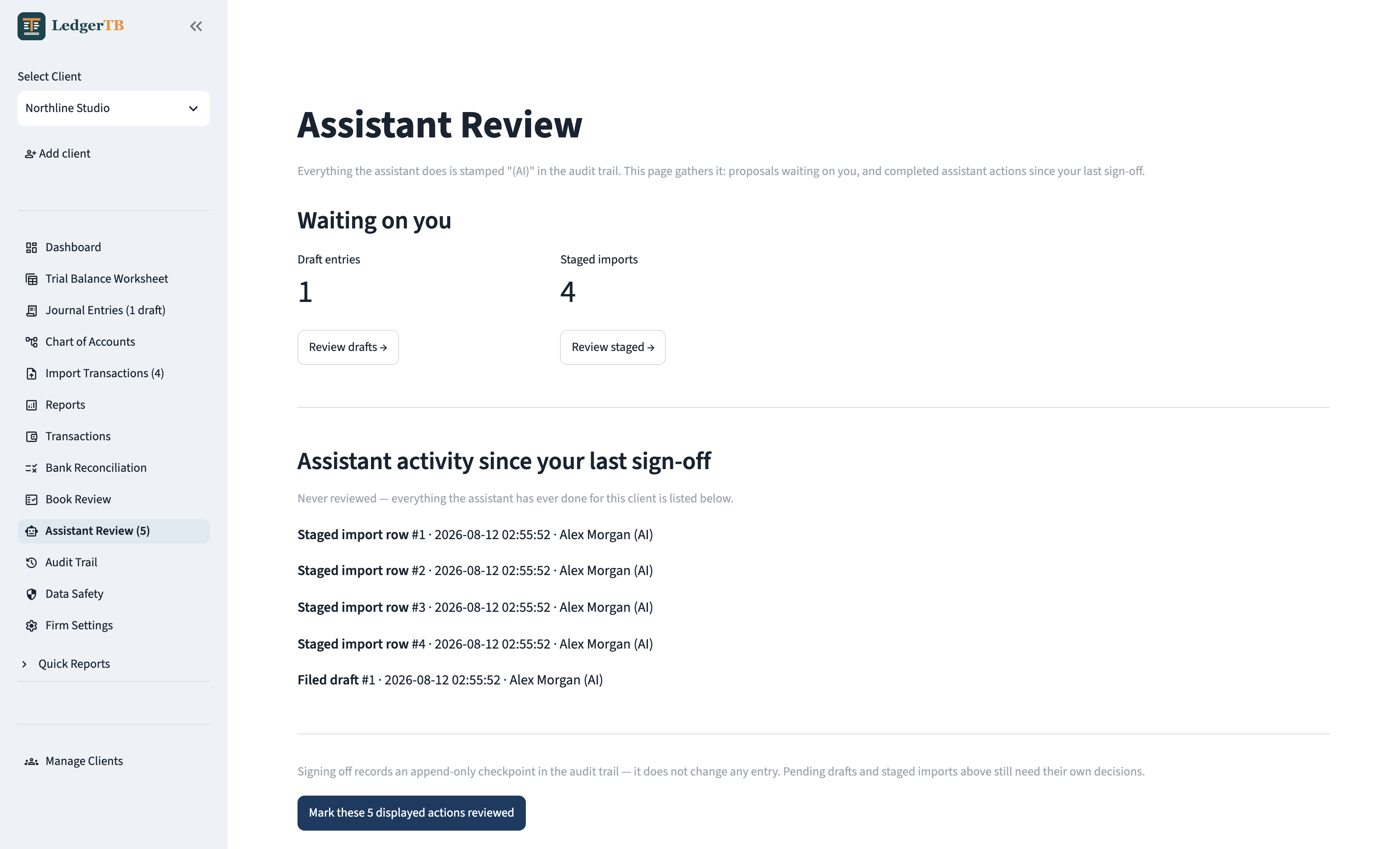
Drafts and staged imports wait for a professional decision. Every assistant action is marked “(AI)” and remains visible until you sign off with an append-only checkpoint.
Screens shown with a fictional Northline Studio sample book; no real client data is pictured.
One path from source activity to a finished close.
Start with the chart
Use an entity-aware template or import the full client chart. Rows that cannot map are reported instead of disappearing silently.
Bring in the activity
Save bank formats, check row continuity, catch duplicates, and review category suggestions before anything reaches the ledger.
Make the judgments
Post balanced journal entries and AJEs against the same trial balance worksheet used to evaluate the accounts.
Review, lock, and export
Run deterministic book checks, finish the Close Map, reconcile, lock the fiscal year, and produce branded PDF and Excel close packages.
The whole bookkeeping loop, without the hosted platform.
Per-client books
Keep separate charts, entries, reports, policies, and history for every client inside the encrypted book file.
Verified imports
Saved bank formats, duplicate detection, source-row identity, and continuity checks protect against incomplete or repeated imports.
Workpaper reports
Trial balance, income statement, balance sheet, general ledger, reconciliation, and firm-branded close packages in Excel and PDF.
Close Map
Organize balances by lead sheet, compare prior year, attach support, resolve notes, and record separate preparer and reviewer signoffs.
Book Review
A deterministic sweep for broken links, date problems, open items, unbalanced records, and unusual account activity before close.
Audit history
Every change carries the operating-system account that made it. Automated work is attributed separately and never presented as yours.
Firm mode
Keep books on a shared drive while the app stays installed locally. An in-use lock prevents two writers from opening the same book.
Useful access, with a hard ceiling.
Connect Claude or another MCP client to the book you have open. You choose the access level for that book, and the database engine enforces the boundary.
read
Query trial balances, statements, ledgers, entries, book-review findings, and Close Map readiness. The ledger remains untouched.
propose
Set up clients and charts, stage statement rows, file draft entries, and propose Close Map explanations for human review.
post
Append balanced entries directly after an explicit warning. Assistant access can never update or delete ledger history.
The access level lives outside the assistant's reach in the operating system's credential vault. Each book is authorized separately, and every assistant action is audit-attributed “(AI).”
Local first, with the controls visible.
Encrypted at rest
The book file is protected by a launch passphrase only you hold. Backups use the same encryption and are verified before they count.
Bound to this computer
The app listens only on loopback. No cloud account is required, no telemetry is collected, and categorization is opt-in.
Open to inspection
The full application and build workflows are public. macOS builds are signed and notarized; Windows installers are produced by CI.
The professional decides.
LedgerTB enforces the mechanics—balanced entries, append-only assistant posting, attribution, and an audit trail—but it does not outsource the judgment. Every accounting conclusion remains yours, whether you entered it directly or accepted a suggestion.
Free, open source, yours.
Version 1.8.0 adds optional account suggestions in Import Review
and lets you save a review to finish later. Choosing rows is separate
from including them for posting. An unchanged worksheet export reuses
the file from that session.
Both downloads are built from the tagged source; upgrading preserves
your books.
Read the full changelog →
Before using LedgerTB: LedgerTB is general-purpose software, not accounting, tax, legal, investment, audit, assurance, or other professional advice. You remain responsible for verifying inputs and outputs, supervising AI activity, protecting client data, and maintaining backups. Official builds and the website are provided “as is” without warranties. Review the Disclaimer, Privacy & Data Practices, and Terms before downloading or using LedgerTB.
macOS
Apple Silicon. Signed and notarized by Apple. Unzip the download and drag LedgerTB to Applications.
Download for MacWindows
Installs for your account only, with no administrator password required—suitable for a locked-down firm laptop.
Download for WindowsWindows may show a SmartScreen warning because the publisher identity is not yet verified. Choose More info → Run anyway. The source and CI build workflow are public; a publisher-signed Windows build is planned.